

What Is Pinterest Marketing for Bloggers?
Pinterest marketing for bloggers is the process of using Pinterest as a visual search engine to drive consistent, long-term traffic to your blog posts.
Unlike traditional social media platforms, Pinterest functions more like Google. Users actively search for solutions, tutorials, and inspiration. That makes Pinterest marketing for bloggers a powerful traffic strategy — especially for niches like blogging, digital marketing, lifestyle, and entrepreneurship.
According to official data from Pinterest, the platform has hundreds of millions of monthly active users searching for ideas and products. That search intent is exactly why Pinterest marketing for bloggers continues to work in 2026.
If you’re building long-term traffic, Pinterest should be part of your broader social media marketing strategy.
Why Pinterest Marketing Still Works in 2026
Many bloggers ignore Pinterest because they think it’s just another social platform. It isn’t.
Pinterest marketing for bloggers works because:
- Pins rank in Pinterest search results
- Content has a long lifespan (months or years)
- Users are in discovery and buying mode
- Links are clickable (unlike Instagram)
When done correctly, Pinterest becomes an evergreen traffic source instead of a short-term engagement channel.
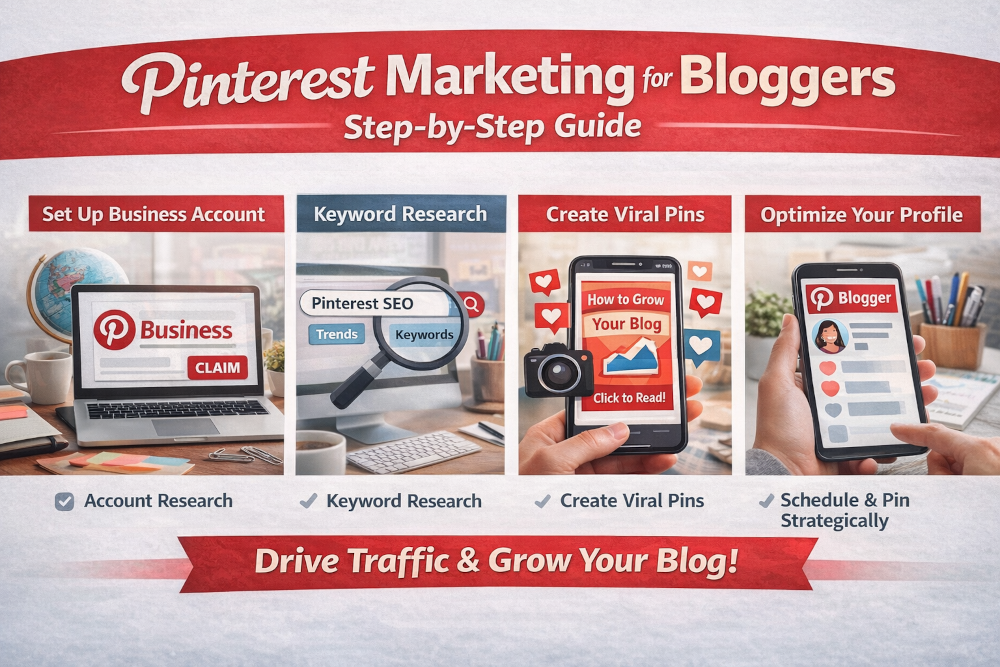
Step 1: Set Up a Business Account for Pinterest Marketing for Bloggers
To succeed with Pinterest marketing for bloggers, you need a Pinterest business account. Unlike personal accounts, a business profile gives you the tools to track performance, optimize pins, and grow traffic effectively.
A business account provides:
- Pinterest Analytics – see which pins and boards drive the most traffic
- Access to ads – promote pins for wider reach
- Rich Pins – automatically display your blog titles, descriptions, and images
- Website claiming – verify your blog and connect analytics
Follow Pinterest’s official guide here: Get a Business Account on Pinterest
After upgrading, make sure to:
- Claim your website
- Enable Rich Pins
- Add relevant keywords to your bio
This setup forms the essential foundation for effective Pinterest marketing for bloggers, ensuring your pins are discoverable, trackable, and positioned for long-term growth.
Step 2: Keyword Research for Pinterest Marketing for Blogging
Pinterest marketing relies heavily on Pinterest SEO to ensure your pins are discovered by the right audience. Optimizing for the right keywords can make the difference between a pin that goes unnoticed and one that drives consistent traffic to your blog.
Use these tools to find high-impact keywords:
- Pinterest search bar autocomplete – start typing your niche or topic to see the most searched terms
- Pinterest Trends – discover rising topics and seasonal search patterns
- Related keyword suggestions under search results – uncover variations and long-tail phrases
Look for phrases like:
- Pinterest SEO strategy
- Pinterest traffic for bloggers
- Blogging growth strategy
- Pinterest keywords for bloggers
Pinterest marketing for bloggers works best when your pins are optimized for search intent, not just design. This means including relevant keywords in pin titles, descriptions, and boards so that users actively searching for content like yours can find it easily and click through to your blog.
Step 3: Optimize Your Profile and Boards
Strong Pinterest marketing for bloggers depends not just on pins, but also on a well-optimized profile and boards. Your profile is the first thing users see, and your boards act like organized categories that help Pinterest understand your content.
Optimize Your Bio
Include:
- Your niche clearly (e.g., blogging, digital marketing, lifestyle)
- Your target audience (who will benefit from your content)
- The keyword “Pinterest marketing for bloggers” naturally, so both users and Pinterest can identify your focus
A well-crafted bio makes your profile more discoverable and helps establish authority in your niche.
Optimizing your boards is a key part of Pinterest marketing for bloggers because boards act like organized categories that Pinterest uses to understand and rank your content.
- Use keyword-rich board names that match what your audience is actively searching for. Clear, descriptive titles make it easier for Pinterest to show your boards in relevant search results.
- Add 2–3 keyword variations in board descriptions to improve SEO. This helps Pinterest recognize the topic of each board and match your pins to search intent.
- Avoid vague titles like “Inspiration” or “Fun Ideas.” Instead, be specific and targeted—for example, “Blogging Tips for Beginners” or “Travel Blogging Resources.”
Well-optimized boards not only improve discoverability but also make your profile more professional and navigable, increasing the likelihood that users will follow you and engage with your pins.
Think of your boards as SEO categories for Pinterest. Organized, keyword-optimized boards help Pinterest understand your content, surface your pins in relevant searches, and drive more traffic to your blog.
Step 4: Create High-Converting Pins for Pinterest Marketing for Bloggers
Design is critical in Pinterest marketing.
Best practices:
- Vertical format (1000×1500)
- Bold headline
- Clear benefit
- Strong CTA
Most bloggers design pins using Canva:
https://www.canva.com/
Create multiple “fresh pins” per blog post instead of reposting identical designs. Pinterest marketing for bloggers now prioritizes fresh content over repetition.
Step 5: Develop a Consistent Pinning Strategy
Design is a critical component of Pinterest. Well-designed pins grab attention, communicate value quickly, and encourage clicks to your blog.
Best Practices for Pin Design
- Vertical format (1000×1500 px) – Pinterest favors vertical pins that fit naturally in feeds
- Bold, readable headline – Make it easy for users to understand the content at a glance
- Clear benefit – Show the value or solution your pin offers to encourage clicks
- Strong call-to-action (CTA) – Phrases like “Learn How,” “Read More,” or “Get Tips” guide users to take action
Most bloggers design their pins using Canva:
https://www.canva.com/
Fresh Pins Over Reposts
Create multiple fresh pins for each blog post rather than reposting the same design repeatedly. Pinterest marketing now prioritizes fresh content, so rotating designs, experimenting with colors, and updating headlines can improve reach and engagement. This approach also allows you to test which designs perform best and refine your strategy over time.
By focusing on visually appealing, keyword-optimized, and fresh pins, you maximize the chances that your Pinterest marketing for bloggers efforts will drive meaningful, long-term traffic to your blog.
Step 6: Monetize Your Pinterest Marketing Strategy
Traffic is powerful — but revenue is the goal.
Pinterest marketing for bloggers allows you to:
- Drive traffic to affiliate blog posts
- Promote digital products
- Grow your email list
- Launch courses
If you’re new to monetization, start with our complete guide to affiliate marketing basics before linking directly from Pinterest.
When using affiliate links:
- Always disclose properly
- Avoid spammy captions
- Focus on value-first content
Common Pinterest Marketing Mistakes Bloggers Make
Avoid these errors:
- Ignoring keyword research
- Designing cluttered pins
- Posting inconsistently
- Not checking analytics
- Treating Pinterest like Instagram
Pinterest marketing for bloggers should be treated like search engine optimization, not social media engagement chasing.
Pinterest Marketing vs Other Social Platforms
Here’s why Pinterest marketing for bloggers often outperforms Instagram and TikTok for traffic:
|
Feature |
|
|
|
Search-based |
Yes |
Limited |
|
Content lifespan |
Months/Years |
24–48 hours |
|
Clickable links |
Yes |
Limited |
|
Evergreen potential |
High |
Low |
If your goal is blog traffic instead of vanity metrics, Pinterest marketing usually the smarter investment.
Frequently Asked Questions
Is Pinterest marketing still effective in 2026?
Yes. Because Pinterest operates as a visual search engine, well-optimized pins can generate traffic for months or even years.
How long does Pinterest marketing take to work?
Most bloggers see early traction within 1–3 months with consistent posting and keyword optimization.
How many pins should bloggers post daily?
Start with 1–3 fresh pins per day. Pinterest marketing for bloggers favors consistency over mass posting.
Can I use Pinterest marketing for bloggers without a blog?
Yes, but results are significantly stronger when driving traffic to owned content rather than external links alone.
Is Pinterest SEO different from Google SEO?
Yes. Pinterest SEO relies more on visual engagement and keyword placement in titles and descriptions, but search intent still matters heavily.
Final Thoughts
Pinterest marketing for bloggers remains one of the most underrated growth channels available today. When you combine Pinterest SEO, fresh pin design, consistent scheduling, and strong monetization strategy, you create a sustainable traffic engine.
Integrated into your broader social media marketing strategy and supported by solid affiliate marketing basics, Pinterest marketing for bloggers can become a major growth lever for your blog in 2026.
If you’re serious about long-term blog traffic, Pinterest marketing for bloggers deserves your attention.